



KEY POINTS
- Combo deals, prebuilt PCs, and “Buy now, upgrade later” approaches can all help reduce upfront memory costs
- Motherboard choice matters even more — features like DIMM Fit, DIMM Flex, and NitroPath DRAM Technology help with non-ideal memory configurations
- Platform choice (Intel® vs. AMD) and graphics card selection should be based on real-world use cases — gaming, content creation, or AI — not just raw specs
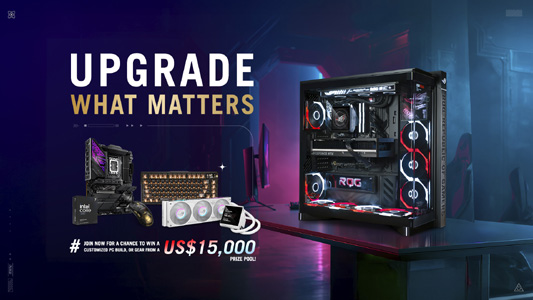
- The Upgrade What Matters giveaway from August 25 to December 31 offers a chance to win a custom PC, or hardware from a prize pool valued at US$15,000
TAIPEI, Taiwan— ASUS has announced the publication of a guide to smart PC building in 2026. Users need a PC for things like work, finances, and staying connected — and they love having a PC for gaming and entertainment — but the current price of memory products may present a challenge. While there is no magic fix for the memory market, there are strategies that will help users build a desktop PC (or upgrade the one they have) without overspending on memory. This guide highlights what they need to know before purchasing components.

Users are also invited to visit the Upgrade What Matters portal, where they can learn more about their options and participate in a giveaway contest from August 25 to December 31, 2026. Those who enter the contest can get a chance to win their own customized PC build or hardware from a prize pool valued at US$15,000.
How to keep costs low while buying memory in 2026
Here are some approaches that have been observed recently in the PC building community:
- Watch for combo deals. One way that e-tail sites keep the price of building a PC reasonable is to sell memory as part of a combo deal. The availability of these deals varies day-to-day, and there is no guarantee how long supply will last. But as of now, there are still plenty of combo deals over at Newegg that offer substantial savings if users are buying memory as part of a larger bundle that might include a CPU and a motherboard.
- Buy and upgrade a prebuilt desktop PC. While the cost of individual memory kits has increased in the last year, it is still quite possible to find prebuilt desktop PCs at MSRP. Some are even on sale. Grabbing a prebuilt desktop PC as a starting point ensures that users are paying a reasonable price for the memory products. Then, they can upgrade key components like the graphics card to make sure that they are getting the performance that they need. (However, not all prebuilt PCs are designed for easy upgrades. They should look for prebuilt desktop PCs that use standard-sized components, like the ROG G700 series, for an easier upgrade experience.)
- Get the minimum today, with a plan to upgrade later. Another approach is to grab one of the most affordable memory options available today, with a plan to upgrade after the current shortage ends. Users might end up with a non-ideal memory configuration, like an industry-standard kit, a single DIMM, or a mismatched set of modules, but this approach will keep their PC ambitions up and running.
The memory support provided by a motherboard also matters more than ever. Not all models are equally equipped to handle the unexpected. A rich set of optimization tools and hardware-level enhancements help give users options for tackling system instability or elevating memory performance above the rock-bottom defaults.
How an ASUS motherboard can help users outlast the memory shortage
ASUS motherboards do more than most to carry a system through the memory crisis. For years, ASUS has invested time and effort in helping users get the most out of their DDR5 memory kits, recognizing that the high-end bandwidth, hardware-level complexity, and thermal sensitivity of the new standard can make tuning DDR5 a challenge. Whether users want to run a non-ideal memory configuration above and beyond the default JEDEC speeds or find the sub-timings that will turn an unstable system into a rock-solid performer, they can find the help they need with a modern ASUS motherboard.
There is more information on this subject than can be covered here, but users can follow the links below to learn more about memory-related motherboard technologies from ASUS.
- Boost your memory kit’s overclocking stability with DIMM Fit and DIMM Fit Pro, available on select ASUS motherboards
- How ASUS motherboards buy you the time to wait for your next memory upgrade
- XMP vs EXPO vs. AEMP: Unlock your RAM’s potential with memory profiles and more
- ASUS motherboards do more than most to help you get non-ideal memory configurations up to speed
- Here’s how ASUS Intel Z890 and B860 motherboards give you flexible options for selecting and optimizing RAM
- How the latest ASUS AM5 motherboards offer upgraded memory performance
- Guide: How to use DIMM Flex to maximize memory performance and stability
- Extract more gaming performance from your Intel Core Ultra Series 2 CPU with ASUS XMP Tweaked
- Introducing NitroPath DRAM Technology: a revolutionary DRAM slot design for high-end gaming motherboards
Intel vs. AMD: Which platform is best in 2026?
With a plan in place for how to handle the memory question, users can now make some decisions about the rest of their plan to upgrade or build a desktop PC. Many of those choices center on the question of which platform to pick: Intel® vs. AMD.
Beginning with Intel, users will find Intel Z890 motherboards and compatible CPUs from the Intel Core™ Ultra Series 2 lineup. Opting for a Z-series motherboard gives the option to overclock an unlocked Intel processor. Even if a user does not intend to overclock right away, it is a nice option to have down the road to get even more lifespan out of a PC. Z890 motherboards also offer excellent memory module compatibility and stability as well. ASUS 800-series Intel motherboards include AEMP Mix Tuning, an exclusive BIOS feature that lets builders combine modules with different specs and vendors — and even overclock them automatically. The consensus among reviewers is that the latest Intel CPUs are compelling picks for professionals and content creators who need strong application performance. And they are solid picks for gaming, too — especially recent entrants like the Intel Core Ultra Processor 270K Plus.
The most affordable approach to an Intel build in 2026 is to go with a previous generation. Such a platform may not provide the latest amenities, but it is an affordable pathway to playing online games with friends while providing the versatile functionality of a desktop PC.
The middle road here is to opt for a motherboard with the B860 chipset and a modern mainstream CPU like the Intel Core Ultra 250K Plus. Selecting an Intel B-series motherboard takes CPU overclocking off the table, but that should not deter users from picking one of these boards. Many gamers find that they do just fine with the out-of-the-box performance they get out of their Intel CPU. This route also ensures that users get the latest ASUS motherboard features for getting their DDR5 memory kit up to speed.
| Intel B860 | Intel Z890 |
| Current-gen LGA 1851 | Current-gen LGA 1851 |
| More premium DDR5 memory | More premium DDR5 memory |
| Mainstream connectivity | High-end connectivity |
| Memory overclocking support | CPU and memory overclocking support |
| Wide range of options | Wide range of options |
| Best for mainstream gaming PC | Best for content creation, high-end gaming, streaming, and AI |
For AMD, X870E and X870 motherboards await enthusiasts looking for a fully-loaded platform. Here, users have access to the finest AMD motherboards available, with more than enough connectivity, overclocking support, and premium features to satisfy the most ambitious PC builders. Recent AMD processors equipped with AMD 3D V-Cache™ technology, like the popular AMD Ryzen™ 7 9800X3D and the chart-topping AMD Ryzen 9 9950X3D, have made waves among gamers in particular.
Budget-minded builders still look to the AMD B550 motherboard platform to help them assemble a PC for less. The AM4 socket on these motherboards does not support the latest and greatest CPUs, but AMD has continued to support the platform with fresh (and refreshed) CPU launches, so users still have plenty of options. For people building during the current memory shortage, the DDR4 memory support is a bonus. If there is a weakness with going this route, it is that the motherboard options are fairly limited at this point. If users would like to have a bit more choice when it comes to features and aesthetics, they might prefer a B850 motherboard and an AMD Ryzen 9000 Series CPU.
It is easy to recommend AMD B850 motherboards to a wide range of users. Such a motherboard gives users access not only to the currently available AM5 CPUs, but also to upcoming releases. B850 motherboards support both CPU and memory overclocking, giving users options for squeezing more performance out of their hardware, and users get a modern menu of connectivity options.
How much graphics card performance do users need in 2026?
Since so many different types of builders are using graphics cards for so many purposes, the modern graphics card market includes more options than ever, and the available options range all the way up to some truly premium models. The question, then, is how much performance is enough.
Clustering some recommendations around VRAM capacity can simplify the decision. Graphics cards differ in things like memory capacity and bus speed, and those elements can be a hard limitation for what users are looking to accomplish with their PC.
Take the field of content creation, for instance. When editing videos using high-resolution assets, users need a graphics card with enough VRAM to hold all that data. Otherwise, it gets offloaded to system memory, introducing latency into the mix and slowing down important things like scrubbing through a timeline. Professionals in this field need a content creation PC build with as much VRAM as they can get, and they typically do not bat an eye at the prospect of purchasing one of the most premium cards on the market. They know that they will get their money back from this purchase, thanks to its ability to speed up their workflow.
Things are a bit more complicated in the world of gaming. Hardcore gamers seeking a premium 4K gaming experience in the latest, most lifelike games tend to look for a high-performance gaming PC upgrade with a card like the NVIDIA GeForce RTX 5080 or RTX 5090. But not everyone is looking for that kind of experience. Social gamers looking to join their friends in online games have a lot of fun with 1080p monitors and 8GB graphics cards, and those graphics cards can be quite affordable. The AMD Radeon™ RX 9060 XT 8GB is easy to recommend for these gamers, as is the NVIDIA GeForce RTX 5060. For 1440p gaming, mainstream cards like the NVIDIA GeForce RTX 5060 Ti 16GB, NVIDIA GeForce RTX 5070, or the AMD Radeon RX 9070 are all excellent choices.
What kind of graphics card is needed for an agent PC build? Once again, VRAM is a very important factor, as it determines the size of the model that can be loaded into memory. This field is growing very quickly, but here is where things stand as of now. People are finding that they are no longer tied to expensive monthly subscriptions to access the power of AI. Users can accomplish a lot, even with an 8GB graphics card. A 16GB graphics card will open a lot more options, so if users rely on AI to process large amounts of visual data or maintain long-running conversations, a 16GB card is the smarter play. If users are managing a larger fleet of AI agents, they will hit the limits of 16GB fairly quickly, so pursue a top-end card with 32GB of RAM, such as the NVIDIA GeForce RTX 5090, the ASUS UGen Intel Arc™ Pro B70, or the ASUS Turbo Radeon™ AI Pro R9700 to support these pioneering AI ambitions in the field of AI.
Finally, there are the needs of everyday users. Today’s PC users are quite likely to create some demanding PC use cases. People who do not call themselves gamers are still likely to play a game sometimes. People who would not call themselves AI enthusiasts are finding their competitive edge at work by taking advantage of AI. A graphics card ensures these users can explore these options, and they do not even need an expensive card to get rolling. The NVIDIA GeForce RTX 5050 gives these folks a doorway into advanced PC use cases without requiring a large investment.
Those needing some more information or ideas for constructing a new PC should head over to the Upgrade What Matters portal for more info on ASUS PC hardware and build guides, and enter the giveaway for a limited time.